UPPCL Smart App: क्या है? डाउनलोड कैसे करें, रजिस्ट्रेशन और बिजली खपत ट्रैक करने की पूरी गाइड (2026)
उत्तर प्रदेश में बिजली व्यवस्था अब पूरी तरह से बदल रही है। वास्तव में, पारंपरिक मीटरों की जगह अब तेजी से स्मार्ट मीटर (Smart Meters) लगाए जा रहे हैं। इसी बड़े बदलाव के साथ, उपभोक्ताओं को अपनी बिजली खपत पर पैनी नजर रखने के लिए UPPCL ने एक शानदार ऐप लॉन्च किया है।
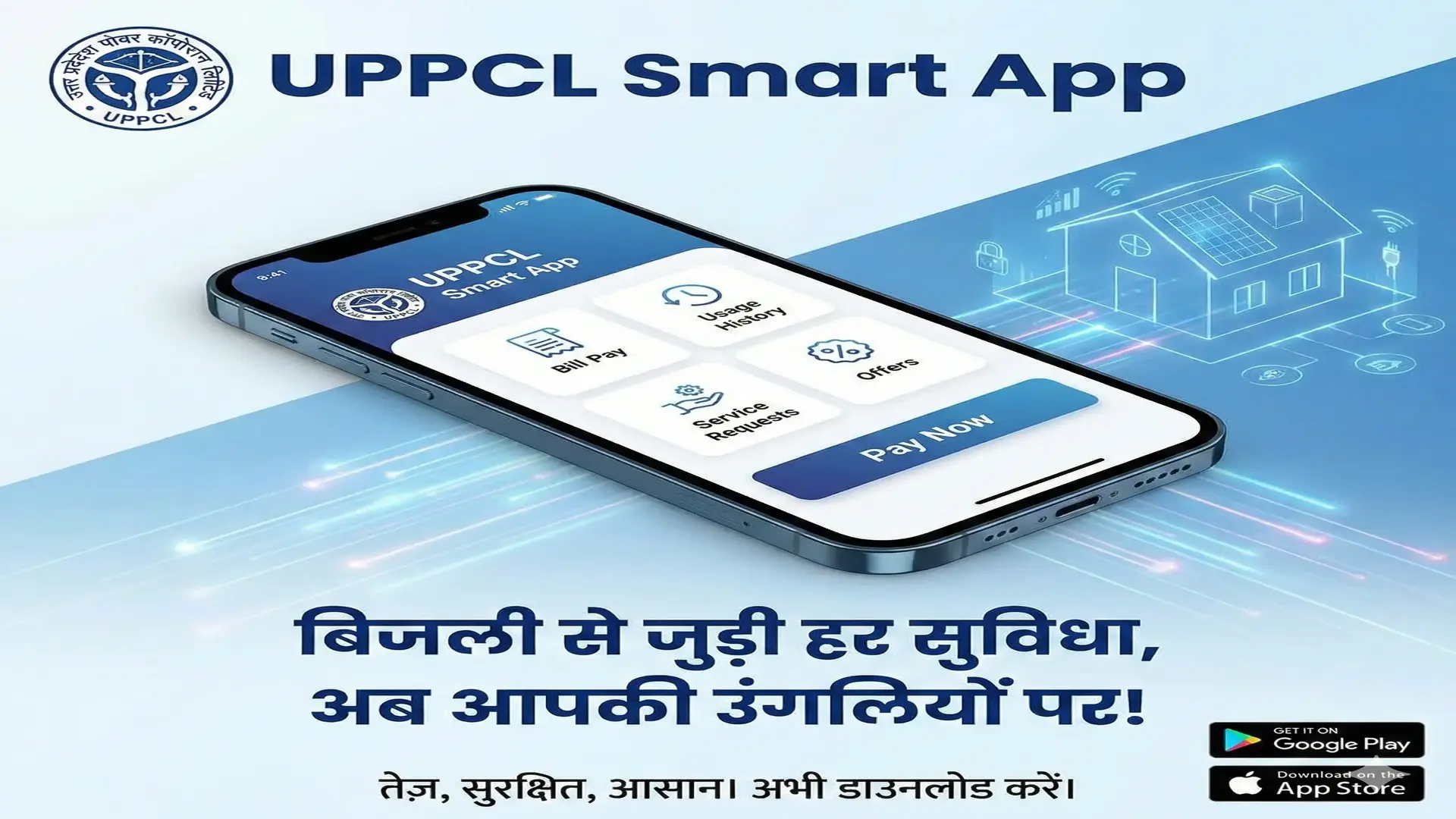
इस ऐप का नाम है "UPPCL SMART App"। परिणामस्वरूप, यह ऐप उपभोक्ताओं को बिजली बिल और खपत से जुड़ी हर जानकारी उनकी उंगलियों पर देता है।
यह लेख उन सभी उपभोक्ताओं के लिए एक 'बाइबल' की तरह है जो स्मार्ट मीटर का उपयोग कर रहे हैं। चाहे आप गाँव में हों या शहर में, अगर आपके घर स्मार्ट मीटर लगा है, तो यह ऐप आपके लिए अनिवार्य है। इसके अलावा, इस 3000+ शब्दों की विस्तृत गाइड में हम आपको शून्य से लेकर अंत तक सब कुछ सिखाएंगे।
इस गाइड में आप क्या जानेंगे?
- UPPCL Smart App क्या है और यह क्यों ज़रूरी है?
- इसे डाउनलोड और इंस्टॉल करने का सही तरीका।
- रजिस्ट्रेशन प्रक्रिया (Step-by-Step)।
- डैशबोर्ड को समझना (Consumption Graph, Balance)।
- प्रीपेड और पोस्टपेड मीटर में अंतर।
- बिल भुगतान और रिचार्ज कैसे करें?
- अक्सर पूछे जाने वाले सवाल (FAQs)।
भाग 1: UPPCL Smart App क्या है? (What is UPPCL Smart App?)
UPPCL Smart App उत्तर प्रदेश पावर कॉर्पोरेशन लिमिटेड का आधिकारिक मोबाइल एप्लिकेशन है। इसे विशेष रूप से स्मार्ट मीटर उपभोक्ताओं के लिए विकसित किया गया है। पुराने मीटरों में आपको महीने के अंत तक इंतजार करना पड़ता था कि बिल कितना आएगा।
हालांकि, स्मार्ट ऐप ने यह सब बदल दिया है। यह ऐप आपको Real-Time Data प्रदान करता है। इसका सीधा मतलब है कि आप आज देख सकते हैं कि कल आपने कितनी बिजली खर्च की।
ऐप की तकनीक और इंटरफेस
यह ऐप Jio Platforms Limited के तकनीकी सहयोग से बनाया गया है। इसलिए, इसका इंटरफेस बहुत ही यूजर-फ्रेंडली और तेज है। आपको इसे इस्तेमाल करने के लिए किसी विशेष तकनीकी ज्ञान की आवश्यकता नहीं है।
यह किन डिस्कॉम (DISCOMs) के लिए काम करता है?
यह ऐप उत्तर प्रदेश की चारों वितरण कंपनियों और केस्को के लिए समान रूप से काम करता है:
- MVVNL: मध्यांचल विद्युत वितरण निगम लिमिटेड (लखनऊ, अयोध्या, आदि)
- PVVNL: पश्चिमांचल विद्युत वितरण निगम लिमिटेड (मेरठ, नोएडा, आदि)
- DVVNL: दक्षिणांचल विद्युत वितरण निगम लिमिटेड (आगरा, अलीगढ, आदि)
- PuVVNL: पूर्वांचल विद्युत वितरण निगम लिमिटेड (वाराणसी, गोरखपुर, आदि)
- KESCo: कानपुर इलेक्ट्रिसिटी सप्लाई कंपनी
भाग 2: UPPCL Smart App के मुख्य फीचर्स (Features)
इस ऐप में कई ऐसे फीचर्स हैं जो एक आम उपभोक्ता को 'Smart Consumer' बनाते हैं। उदाहरण के लिए, आप अपनी खपत को नियंत्रित करके अपना पैसा बचा सकते हैं।
- Live Consumption Tracking: आप अपनी बिजली की खपत को दिन-प्रतिदिन (Daily), साप्ताहिक (Weekly) और मासिक (Monthly) आधार पर देख सकते हैं।
- Prepaid Balance Check: अगर आपका मीटर प्रीपेड है, तो आप मोबाइल की तरह अपना बैलेंस चेक कर सकते हैं।
- Bill View & Download: पोस्टपेड उपभोक्ता अपना बिल देख सकते हैं और PDF डाउनलोड कर सकते हैं।
- Online Payment: ऐप के अंदर ही UPI, क्रेडिट कार्ड या नेट बैंकिंग से भुगतान की सुविधा है।
- Complaint Registration: बिजली गुल होने या बिल में गड़बड़ी की शिकायत सीधे ऐप से करें।
- Comparison Tool: आप देख सकते हैं कि पिछले महीने के मुकाबले इस महीने आपने ज्यादा बिजली खर्च की या कम।
भाग 3: ऐप डाउनलोड और इंस्टॉल कैसे करें?
कई बार लोग गलत ऐप डाउनलोड कर लेते हैं जिससे उनका डेटा चोरी होने का खतरा रहता है। अतः, सही ऐप डाउनलोड करने के लिए नीचे दिए गए स्टेप्स को ध्यान से फॉलो करें।
Android और iPhone के लिए प्रक्रिया:
- अपने मोबाइल में Google Play Store या Apple App Store खोलें।
- सर्च बार में टाइप करें: "UPPCL SMART".
- आपको बहुत सारे रिजल्ट दिखेंगे, लेकिन आपको वह ऐप चुनना है जिसके डेवलपर का नाम "Jio Platforms Limited" या UPPCL लिखा हो। इसका लोगो नीले रंग का है जिस पर UPPCL लिखा है।
- Install बटन पर क्लिक करें।
- डाउनलोड पूरा होने के बाद ऐप को Open करें।
सावधानी: कभी भी WhatsApp या SMS पर आए किसी लिंक (APK File) से ऐप डाउनलोड न करें। यह आपके बैंक खाते के लिए खतरनाक हो सकता है। हमेशा Play Store का ही उपयोग करें।
भाग 4: रजिस्ट्रेशन और लॉगिन प्रक्रिया (Step-by-Step)
ऐप डाउनलोड करने के बाद सबसे पहला काम है अपना अकाउंट बनाना। इसके लिए आपके पास आपका 10 अंकों का बिजली अकाउंट नंबर (जो बिल पर लिखा होता है) और रजिस्टर्ड मोबाइल नंबर होना चाहिए।
चरण 1: नया रजिस्ट्रेशन (New User Registration)
- ऐप खोलें और स्क्रीन के नीचे "Register Here" या "Sign Up" के विकल्प पर क्लिक करें।
- अपना DISCOM चुनें (जैसे MVVNL, PVVNL आदि)।
- अपना Account Number दर्ज करें।
- Verify पर क्लिक करें। ऐप चेक करेगा कि आपके अकाउंट पर स्मार्ट मीटर लगा है या नहीं।
- अगर स्मार्ट मीटर लगा है, तो आपके रजिस्टर्ड मोबाइल नंबर पर एक OTP आएगा।
- OTP दर्ज करें।
- अब आपको अपना Email ID डालना होगा (यह वैकल्पिक हो सकता है)।
- अंत में, एक मजबूत Password बनाएं (जिसमें अक्षर, नंबर और स्पेशल कैरेक्टर हों) और सबमिट कर दें।
चरण 2: लॉगिन कैसे करें (Login Process)
- रजिस्ट्रेशन सफल होने के बाद लॉगिन पेज पर वापस आएं।
- अपना Account Number डालें।
- अपना बनाया हुआ Password डालें।
- Login बटन दबाएं।
भाग 5: बिजली खपत (Consumption) को कैसे समझें?
लॉगिन करते ही आप डैशबोर्ड पर पहुँच जाएंगे। यहाँ सबसे महत्वपूर्ण फीचर है 'Usage' या 'खपत' टैब। वास्तव में, इसे समझना बिजली बिल कम करने के लिए बहुत ज़रूरी है।
1. Daily View (दैनिक खपत)
जब आप 'Daily' ग्राफ पर क्लिक करेंगे, तो आपको हर दिन की खपत दिखेगी। मान लीजिए आज 10 तारीख है, तो आपको 9 तारीख तक का डेटा दिखेगा। स्मार्ट मीटर डेटा अपडेट होने में कभी-कभी 24 घंटे का समय लेता है।
- अगर ग्राफ की लाइन बहुत ऊंची है, तो इसका मतलब उस दिन आपने AC, हीटर या गीजर ज्यादा चलाया है।
- आप इस डेटा का उपयोग करके पता लगा सकते हैं कि किस दिन बिजली ज्यादा खर्च हुई।
2. Monthly View (मासिक खपत)
यह आपको पूरे महीने का ट्रेंड दिखाता है। इसके माध्यम से, आप तुलना कर सकते हैं कि पिछले महीने के मुकाबले इस महीने आपकी खपत (Units) कितनी बढ़ी है।
3. Sanctioned Load vs Running Load
ऐप में आपको MD (Maximum Demand) भी दिखाई देता है। यह बताता है कि आपने एक समय में अधिकतम कितना लोड इस्तेमाल किया। अगर आपका स्वीकृत भार (Sanctioned Load) 2 KW है और आपका MD 2.5 KW जा रहा है, तो आपको अपना लोड बढ़वा लेना चाहिए, वरना पेनल्टी लग सकती है।
भाग 6: प्रीपेड स्मार्ट मीटर (Prepaid Smart Meter)
यूपी में ज्यादातर स्मार्ट मीटर अब प्रीपेड मोड में लग रहे हैं। सरल शब्दों में, इसका मतलब है "पहले रिचार्ज, फिर बिजली"।
बैलेंस कैसे चेक करें?
ऐप के होम पेज पर सबसे ऊपर बड़े अक्षरों में Current Balance दिखता है।
- Positive (+) Balance: मतलब आपकी बिजली चालू रहेगी।
- Negative (-) Balance: मतलब आपका बैलेंस खत्म हो गया है और मीटर कुछ समय बाद बिजली काट सकता है (हालांकि, कुछ दिनों का ग्रेस पीरियड मिल सकता है)।
रिचार्ज कैसे करें?
- ऐप में "Recharge" बटन पर क्लिक करें।
- राशि (Amount) दर्ज करें (जैसे ₹500, ₹1000)।
- Payment Gateway चुनें (BillDesk या Paytm)।
- UPI, Debit Card या Net Banking से पेमेंट करें।
- पेमेंट सफल होने के बाद, बैलेंस अपडेट होने में 15 मिनट से लेकर 2-3 घंटे तक लग सकते हैं।
भाग 7: सामान्य समस्याएं और उनके समाधान (Troubleshooting)
समस्या 1: "User Not Registered" दिखा रहा है।
समाधान: सुनिश्चित करें कि आप 'New Registration' कर रहे हैं, न कि सीधे लॉगिन। अगर फिर भी समस्या हो, तो चेक करें कि क्या आपका मीटर वास्तव में स्मार्ट मीटर है (Genius, L&T, HPL मेक का)।
समस्या 2: डेटा अपडेट नहीं हो रहा है।
समाधान: कभी-कभी नेटवर्क की दिक्कत की वजह से स्मार्ट मीटर डेटा सर्वर को नहीं भेज पाता। यह अपने आप 24-48 घंटों में ठीक हो जाता है। अगर 3 दिन से ज्यादा डेटा न दिखे, तो 1912 पर शिकायत करें।
समस्या 3: रिचार्ज कर दिया लेकिन बैलेंस नहीं बढ़ा।
समाधान: घबराएं नहीं। कभी-कभी बैंक सर्वर धीमे होते हैं। 24 घंटे इंतजार करें। अगर फिर भी बैलेंस न आए, तो ऐप के 'Payment History' सेक्शन का स्क्रीनशॉट लेकर 1912 पर मेल करें।
निष्कर्ष (Conclusion)
UPPCL Smart App केवल एक ऐप नहीं, बल्कि आपके हाथ में बिजली विभाग का एक छोटा ऑफिस है। इसका सही इस्तेमाल करके आप न केवल अपनी बिजली बचा सकते हैं बल्कि गलत बिलिंग की सिरदर्दी से भी बच सकते हैं।
अंत में, हमारी सलाह है कि आप इसे आज ही डाउनलोड करें और अपनी बिजली खपत को ट्रैक करना शुरू करें। अगर आपको यह जानकारी उपयोगी लगी हो, तो इसे अपने पड़ोसियों और दोस्तों के साथ जरूर शेयर करें ताकि वे भी जागरूक बन सकें।
UPPCL Smart App: What is it? Full Guide to Download, Register & Track Electricity Consumption (2026)
The power sector in Uttar Pradesh is undergoing a massive digital transformation. Specifically, traditional meters are rapidly being replaced by Smart Meters. Along with this hardware upgrade, UPPCL (Uttar Pradesh Power Corporation Limited) has launched a powerful tool for its consumers.
This tool is known as the "UPPCL SMART App". Consequently, this app puts the power of managing electricity connections directly into your hands.
This article is the ultimate guide for anyone who has a smart meter installed at their premises. Whether you reside in a village or a metro city, this app is essential for managing your electricity connection. Moreover, in this comprehensive 3000+ word guide, we will cover everything from scratch.
What Will You Learn in This Guide?
- What is the UPPCL Smart App and why is it essential?
- Correct method to Download and Install.
- Step-by-Step Registration Process.
- Understanding the Dashboard (Consumption Graph, Balance).
- Difference between Prepaid and Postpaid Views.
- How to Recharge and Pay Bills.
- Frequently Asked Questions (FAQs).
Part 1: What is UPPCL Smart App?
The UPPCL Smart App is the official mobile application of the Uttar Pradesh Power Corporation Limited. It is specifically developed for Smart Meter Consumers.
Unlike old meters where you had to wait until the end of the month for the bill, the Smart App puts the power in your hands. Furthermore, the app provides Real-Time Data. This means you can check today how much electricity you consumed yesterday.
Technology and Interface
Developed in technical collaboration with Jio Platforms Limited, the app offers a seamless and fast user interface. Thus, it is extremely easy to navigate even for non-technical users.
Supported DISCOMs
The app works for all four distribution companies and KESCo in Uttar Pradesh:
- MVVNL: Madhyanchal Vidyut Vitaran Nigam Ltd.
- PVVNL: Paschimanchal Vidyut Vitaran Nigam Ltd.
- DVVNL: Dakshinanchal Vidyut Vitaran Nigam Ltd.
- PuVVNL: Purvanchal Vidyut Vitaran Nigam Ltd.
- KESCo: Kanpur Electricity Supply Company.
Part 2: Key Features of the App
This app includes several features designed to turn a regular user into a 'Smart Consumer'. For instance, monitoring your usage can help you save significantly on bills.
- Live Consumption Tracking: Monitor your electricity usage on a Daily, Weekly, and Monthly basis.
- Prepaid Balance Check: If you have a prepaid meter, check your balance just like a mobile phone.
- Bill View & Download: Postpaid users can view bills and download PDFs.
- Online Payment: Integrated payment gateway for UPI, Credit Card, or Net Banking transactions.
- Complaint Registration: Log complaints regarding power outages or billing errors directly.
- Comparison Tool: Compare your current month's usage with previous months to analyze trends.
Part 3: How to Download and Install?
Users often download the wrong app, risking data security. Therefore, follow these specific steps to download the genuine app.
For Android and iPhone Users:
- Open Google Play Store or Apple App Store on your smartphone.
- In the search bar, type: "UPPCL SMART".
- Look for the app developed by "Jio Platforms Limited" or UPPCL. The logo is blue with UPPCL written in white.
- Click on the Install button.
- Once downloaded, Open the app.
Warning: Never download the app via APK links sent on WhatsApp or SMS. This can be dangerous for your financial data. Always use the official Play Store.
Part 4: Registration and Login Process (Step-by-Step)
After downloading, the first step is to create your account. You will need your 10-digit Electricity Account Number (printed on your bill) and your registered mobile number.
Step 1: New User Registration
- Open the app and click on "Register Here" or "Sign Up" at the bottom of the screen.
- Select your DISCOM (e.g., MVVNL, PVVNL).
- Enter your Account Number.
- Click Verify. The app will check if a smart meter is tagged to your account.
- If verified, an OTP will be sent to your registered mobile number.
- Enter the OTP.
- Enter your Email ID (Optional but recommended).
- Create a strong Password (alphanumeric with special characters) and submit.
Step 2: How to Login
- Return to the Login screen.
- Enter your Account Number.
- Enter the Password you created.
- Click the Login button.
Part 5: Understanding Electricity Consumption
Upon logging in, you will land on the Dashboard. The most critical feature here is the 'Usage' tab. Actually, understanding this is key to reducing your electricity bill.
1. Daily View
Clicking on the 'Daily' graph shows day-wise consumption. Data usually updates with a 24-hour lag. For example, on the 10th of the month, you will likely see data up to the 9th.
- High spikes in the graph indicate heavy usage days (usage of AC, Heater, or Geyser).
- Use this data to identify which appliances are consuming the most power.
2. Monthly View
This shows the trend for the entire month. As a result, you can compare if your consumption (Units) has increased compared to the previous month.
3. Sanctioned Load vs. Running Load
The app also displays MD (Maximum Demand). This indicates the peak load you used at any specific time. If your Sanctioned Load is 2 KW but your MD touches 2.5 KW consistently, you should apply for a load enhancement to avoid penalties.
Part 6: Prepaid Smart Meters
Most smart meters in UP are now being installed in Prepaid Mode. Simply put, this works on the "Recharge first, use later" principle.
How to Check Balance?
The Current Balance is displayed prominently on the home screen.
- Positive (+) Balance: Your electricity supply is active.
- Negative (-) Balance: Your funds are exhausted. The supply might be disconnected automatically if not recharged immediately.
How to Recharge?
- Click on the "Recharge" button in the app.
- Enter the Amount (e.g., ₹500, ₹1000).
- Select a Payment Gateway (BillDesk or Paytm).
- Pay via UPI, Debit Card, or Net Banking.
- After success, the balance may take anywhere from 15 minutes to 3 hours to update on the meter.
Part 7: Troubleshooting Common Issues
Issue 1: "User Not Registered" Error.
Solution: Ensure you are clicking on 'New Registration' and not Login. If the issue persists, verify if your meter is indeed a Smart Meter (Genius, L&T, HPL make).
Issue 2: Data Not Updating.
Solution: Sometimes network issues prevent the meter from sending data to the server. This usually resolves automatically in 24-48 hours. If data is missing for >3 days, call 1912.
Issue 3: Recharged but Balance not updated.
Solution: Do not panic. Bank servers can be slow. Wait for 24 hours. If it still doesn't reflect, take a screenshot of the 'Payment History' section and email it to 1912.
Conclusion
The UPPCL Smart App is not just an app; it is a mini-electricity office in your pocket. Using it correctly can save you money and protect you from billing disputes.
In conclusion, we highly recommend downloading it today and starting your journey as a smart consumer. If you found this guide helpful, please share it with friends and family to help them manage their electricity usage better.